- Veteran Owned & Family Operated
Simple Process. Professional Results. Every Time.
Whether you’re placing your first transfer order or your five hundredth, this page walks you through exactly how everything works — from uploading your file to pressing a finished product on any garment you own.
- No Minimums
- No Setup Fees
- Hot Peel Ready
- Ships in 1 Business Day
Which Order Type Is Right For You?
Before Anything Else — Pick Your Path.
We offer four ways to order. Each one is built for a different type of buyer. Find yours below and the rest of the process becomes a straight line.
Build a Gang Sheet
Multiple designs
Maximum value
First-time and repeat buyers
Pack More Designs. Pay Less Per Transfer.
A gang sheet is a large print sheet that holds all of your designs — arranged by you, packed as tightly as you want. Our drag-and-drop builder makes it fast and visual, even if you’ve never built one before. Up to 22″ wide and 10 feet long, a single gang sheet can hold dozens of designs at a fraction of the cost of ordering them separately.
Ideal If: You have 2 or more designs, you run a print business, or you want the lowest possible cost-per-transfer.
Starting Price: Starting at $19.99 | Sizes from 22″x24″ up to 22″x120″
Order by Size
Single designs
Quick orders
No builder needed
One Design. One Size. Done.
Have a single design and need it cut to a specific size? Choose from our full range of standard sizes — from a 2″x2″ pocket logo all the way up to a 13″x13″ full chest print — upload your file, and check out. We cut every transfer individually to your exact dimensions
Ideal If: You have one design, you know what size you need, and you want the simplest possible ordering experience.
Starting Price: Starting at $0.69 per transfer | Volume discounts from 10 pieces
Upload Your Gang Sheet
Designers and print professionals
Pre-built files
Maximum speed
Already Built Your Sheet? Just Upload and Go.
If you build your own gang sheets in Photoshop, Illustrator, or another design tool, skip the builder entirely. Upload your print-ready file and we’ll have it in production before you finish your next cup of coffee. We accept PNG, PDF, AI, and EPS — as long as it’s print-ready, we’ll run it.
Ideal If: You’re a designer or experienced printer who builds your own files and just needs fast, precise execution.
Starting Price: Same pricing as Builder option | Starting at $19.99
Shop Ready to Press
No design required
Instant inventory
Events, teams, and boutiques
No Design? No Problem. It's Already Done.
Browse our catalog of professionally designed, pre-made transfers — already printed, quality checked, and ready to press the moment they arrive. With categories covering sports, holidays, patriotic themes, awareness causes, family, animals, professions, and more, there’s something for every customer and every season.
Ideal If: You need inventory fast, don’t have your own artwork, or want to test DTF transfers before ordering custom prints.
Starting Price: Starting at $1.39 per transfer
The 4-Step Process
Here's the Whole Journey — Upload to Doorstep in One Business Day.
Four steps. One business day. Zero headaches.

Your time: About 5 minutes
Upload Your Art or Build Your Sheet.
Use our drag-and-drop gang sheet builder to arrange your designs visually, order by size for a single cut transfer, or upload your own print-ready file directly. Your art, your rules — no design experience required.
Our time: Same business day
We Print It on Industrial DTF Equipment.
Your order enters our print queue and runs on our industrial-grade DTF presses — calibrated for color accuracy, sharp edge definition, and the soft hand feel our customers keep coming back for. Every sheet is printed at 300 DPI with full RGB color depth. No shortcuts, no compromises.
Our time: Within 1 business day of ordering
Order by 12PM EST — Ships Same Day.
Orders placed before 12PM EST on any business day print and ship the same day. Orders placed after cutoff enter production first thing the following business day. You’ll receive a tracking number the moment your package is in the carrier’s hands. Free shipping on orders over $75.
Your time: 15 seconds per transfer
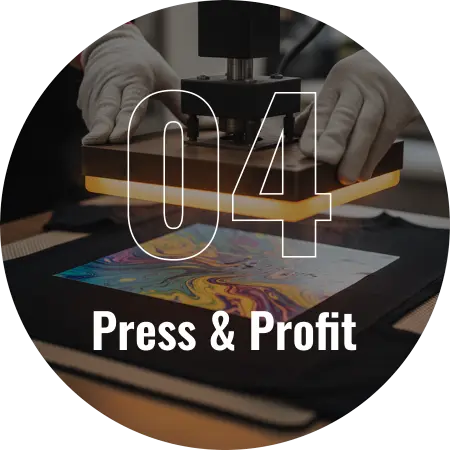
Press It. Peel It. You're Done.
Set your heat press to 290-310 degrees, press for 8-12 seconds, peel hot. That’s it. Full-color, professional-grade transfers on any garment — ready to sell, ship, or wear. Your customers get a premium finished product. You keep the margin.
File Requirements
Getting Your File Right — Everything You Need to Know.
Spend two minutes here and your first order will come out exactly the way you pictured it.
Getting your file set up correctly is the single most important thing you can do to ensure a perfect print. You don’t need to be a professional designer — but there are a few simple specs that make the difference between a print that looks exactly like your artwork and one that doesn’t.
Accepted File Formats
- PNG (Preferred): Best for most designs. Supports transparent backgrounds.
- PDF (Accepted): Must be print-ready. Flatten all layers before saving.
- AI / Adobe Illustrator (Accepted): Outline all fonts. Embed all linked files before uploading.
- EPS (Accepted): Vector format. Ideal for logos and text-heavy designs.
- PSD / Photoshop (Accepted): Flatten to PNG before upload for best results.
- SVG (Accepted): Vector-based. Clean lines and scalable without quality loss.
- JPG / JPEG (Use with caution): No transparency support. White backgrounds will print white.
- Canva Export (Accepted): Export as PNG, 300 DPI, with transparent background enabled.
Resolution & Quality
Requirement: Minimum resolution: 300 DPI
Pro Tip: If you’re designing at a smaller canvas size, work at 150 DPI at double the intended print size, then scale down. The result is equivalent to 300 DPI at the actual print dimensions.
Color Mode
Requirement: RGB color mode is preferred for DTF printing. RGB gives you the widest, most accurate color range on film. If your file is in CMYK, colors may shift slightly from what you see on screen. Convert to RGB before uploading for the most accurate color output.
Transparent Background
Requirement: Your design must have a transparent background before uploading. This ensures only your actual artwork prints on the transfer film — not a white or colored box around it. If your file has a white background, that white area will print as part of the transfer.
White Underbase
Requirement: We automatically add a white underbase to every transfer we produce. The white underbase is what makes your colors appear bright and vivid on dark-colored garments. You don't need to add it yourself — we handle it on our end before every print run.
Text & Detail Minimums
Requirement: Minimum text size: 10px / 0.85mm for standard transfers. For neck labels, minimum text size is 8px / 0.7mm. Text smaller than these minimums may not be legible at print size. When in doubt, go bigger — you can always scale a design down, but you can't recover lost detail.
What NOT to Do
-Do NOT mirror your artwork before uploading our system handles orientation automatically.
-Do NOT submit files with linked assets — all images and fonts must be embedded or flattened.
-Do NOT use JPG files for designs that require a transparent background.
-Do NOT submit files below 150 DPI — they will produce blurry, pixelated results
Reassurance Line
If your file has an issue that would affect your print quality, our pre-press team will catch it and reach out before we run your job. We'd rather take five minutes to fix it than print something that doesn't meet our standard.
How Gang Sheets Work
What's a Gang Sheet — and Why Does It Save You Money?
If you’ve seen the term ‘gang sheet’ and weren’t sure what it means, this section is for you. It’s the single most cost-effective way to order DTF transfers.
A gang sheet is a large print sheet — up to 22 inches wide and 10 feet long — that you fill with as many of your designs as possible. Instead of ordering each design individually, you’re paying for the sheet itself. The more designs you pack onto it, the lower your cost per transfer gets. It’s the standard ordering method for anyone running a print business, Etsy shop, or apparel brand.
Not all heat presses are equal. These are the three specs that determine whether your results are consistent or frustrating:
Order multiple sheets and save even more. Order 2–4 sheets and save 5%. Order 5–9 sheets and save 10%. Order 10 or more and save 15%. Wholesale account pricing is available for monthly volume buyers.
How the Builder Works
Our drag-and-drop gang sheet builder lets you upload your designs, arrange them visually on the sheet, resize them, duplicate them, and see exactly what you’re getting before you place your order. There’s no software to download, no account required to preview — just open it in your browser and start building.
- Upload multiple designs in one session
- Drag, resize, rotate, and duplicate any design
- Live preview shows you exactly what will print
- Auto-calculates sheet usage so you maximize every inch
- Save your sheet and come back to it later
- Works on desktop and tablet browsers
Production & Turnaround
What Happens After You Hit Order.
Here’s exactly what’s happening on our end — and when you can expect to have your transfers in hand.
From the moment you place your order, the clock starts. We run a tight operation — every step in the process is timed, tracked, and executed to keep your order moving from queue to carrier as fast as possible.
Standard Cutoff
Orders placed before 12PM EST on any business day (Monday through Friday) print and ship the same day.
After Cutoff
Orders placed after 12PM EST ship the following business day. We operate Monday through Friday. Weekend orders placed Saturday or Sunday enter production Monday morning.
Same Day Printing Add-On
Need it faster than our standard flow? Add Same Day Printing to your order at checkout. Rush Print (within 4 hours) is also available on orders placed before 10AM EST, subject to availability. Select the add-on at checkout to see live pricing and confirm availability for your order size.
Quality Check Note
Every sheet that comes off our presses is physically inspected before it’s packaged. We check for color accuracy, edge definition, and adhesive integrity. If anything doesn’t meet our standard, we reprint it before it ships. This is the process behind the Warrior Standard Guarantee — and it’s why our reorder rate is as high as it is.
Shipping & Delivery
Fast Shipping. Protected Packaging. Trackable Every Step.
Your transfers are only as useful as they are when they arrive. Here’s how we make sure they get to you on time and in perfect condition.
Packaging
Your transfers are carefully packaged to arrive in press-ready condition. We protect every order during transit so that what comes out of the box looks exactly the way it came off our press — no creasing, no damage, no surprises.
Order Tracking
The moment your order ships, you’ll receive an automated email with your tracking number. You can track your package directly from that email or by logging into your account at uwtransfers.com and visiting your order history.
Combined Orders
If you add blank apparel to your transfer order, both ship together in one package whenever possible. One box. One shipment. One tracking number. Less vendor juggling, faster time to finished product.
How To Press Your Transfers
Your Transfers Are Here. Here's How to Press Them Perfectly.
The press is the final step — and the most important one. Nail these settings and every transfer you apply will look professional, feel soft, and hold up wash after wash.
A heat press is required. A standard clamshell or swing-away heat press works perfectly for DTF transfers. A quality heat press with accurate temperature control and even platen pressure will give you the best results. Household irons and EasyPress-style devices can work for occasional personal use but may produce inconsistent results on production runs.
Different Press Settings
IMPORTANT: Neck labels use different settings than standard transfers. Follow these instructions specifically for any neck label order.
| Step | Setting / Instruction |
|---|---|
| Temperature | 300–310°F |
| Press Time | 10–12 seconds |
| Pressure | Firm |
| Peel Method | COLD PEEL — allow to cool completely before peeling |
| Re-press | 5–8 seconds with parchment paper for added durability |
| Pre-press garment | 3–5 seconds to remove moisture before applying |
Step-by-Step Pressing Instructions
Step 1:
Pre-press your garment for 3–5 seconds to remove all moisture and wrinkles. This single step eliminates the majority of adhesion failures.
Step 2:
Position your transfer face-down on the garment. Make sure it’s flat and positioned exactly where you want it before closing the press.
Step 3:
Set your heat press to the correct temperature and time for your fabric type. Use the settings table above.
Step 4:
Apply firm, even pressure and close the press completely. Uneven pressure causes edge lifting after washing.
Step 5:
When the timer ends, open the press and peel the carrier film immediately (hot peel). Do not wait. Peeling while hot produces the cleanest result.
Step 6:
Allow the garment to cool completely before stacking, folding, or bagging. Heat trapped between garments can cause transfers to stick to each other.
Re-Pressing Instructions
If you need to re-press a transfer after the initial application — to fix a lifted edge or improve adhesion — place a piece of parchment paper or a Teflon sheet over the transfer and re-press for 5–10 seconds at the same temperature. Never re-press directly on the printed surface without a protective layer.
Most Common Pressing Mistakes
- Skipping the pre-press step — moisture in the fabric is the number one cause of adhesion failure
- Pressing at too low a temperature — transfers won't bond properly and will peel after the first wash
- Uneven pressure across the platen — causes edges to lift after washing, especially on larger designs
- Waiting too long before peeling — letting a hot-peel transfer cool before peeling causes ghosting and a hazy finish
- Pressing over seams, buttons, or zippers without a pressing pillow — uneven surfaces prevent full contact and adhesion
- Stacking hot garments — always let each garment cool fully before stacking
For a full video walkthrough of the pressing process including fabric-specific demonstrations, visit the Resources Hub.
Fabric & Product Compatibility
What Can You Actually Press DTF Transfers On?
DTF transfers adhere to virtually any fabric type and a wide range of garment styles. Here’s the full compatibility reference.
Care Instructions For Your Customers
What to Tell Your Customers About Caring for Their Garment.
DTF transfers are built to last — but longevity depends on how the finished garment is cared for. Share these simple instructions with every customer to make sure they’re still happy ten washes in.
Our transfers are engineered for 50+ washes without cracking, peeling, or significant color fade — when pressed correctly and cared for properly. The following care guidelines will help your customers get the most out of every garment you deliver to them.
Care Instruction List
Our drag-and-drop gang sheet builder lets you upload your designs, arrange them visually on the sheet, resize them, duplicate them, and see exactly what you’re getting before you place your order. There’s no software to download, no account required to preview — just open it in your browser and start building.
- Wash inside out — protects the print surface from friction against other garments during the wash cycle
- Cold or warm water wash recommended — avoid hot water, which can break down the adhesive layer over time
- No bleach or bleach-based detergents — will degrade print quality and shorten the life of the transfer
- Tumble dry low or hang dry — high dryer heat causes premature cracking and edge lifting
- Do not iron directly on the print — if ironing is needed, turn the garment inside out or use a pressing cloth over the design
- Do not dry clean — standard home laundering is recommended
Download our free, print-ready Care Instruction Card — a simple one-page document you can print and include with every customer order. It covers all the care basics in plain language and has space to add your own brand logo.
The Warrior Standard Guarantee
Read Everything on This Page and Still Not Sure? That's What Our Guarantee Is For.
Every transfer we ship is backed by the Warrior Standard Guarantee. If something isn’t right — the colors are off, a transfer won’t press correctly, or you’re not satisfied with your order — contact us within 7 days and we make it right. Reprinted. Replaced. No drama. No back-and-forth. No blame game.
We put our name on every box we ship. That means we stand behind everything inside it. That’s not a policy — that’s the standard we’ve operated by since day one.
You Know How It Works
Now Let's Put It to Work.
Pick your path and place your first order in the next five minutes.
No minimums. No setup fees. Ships in 1 business day.
Backed by the Warrior Standard Guarantee.